
Do you want to know how to clean a MacBook Pro fan? MacBooks can accumulate dust from vents, USB ports, and other openings, causing the MacBook fan to become dirty. Due to this, the MacBook’s temperature rises rapidly, causing frequent crashes and blocking the cooling channel. But how to clean it?
First, open the MacBook Pro case and access the fan section. Use the bristles of your brush to gently remove any dust particles inside the fan. It will take some time, but you will realize how much dust there is in that fan. Once the dust is out, gently blow it away.
Steps to Clean MacBook Pro Fan
Following are the steps to clean the MacBook Pro fan.
- First, turn off your MacBook Pro device. Immediately after turning off your device, turn it around.
- Remove the screws from your device using a screwdriver. Please keep the removed screws where you won’t lose them. Or place them around your MacBook so that you’ll remember where they are.
- You can now open your MacBook after you have unscrewed the screws. Start by loosening the case at the top.
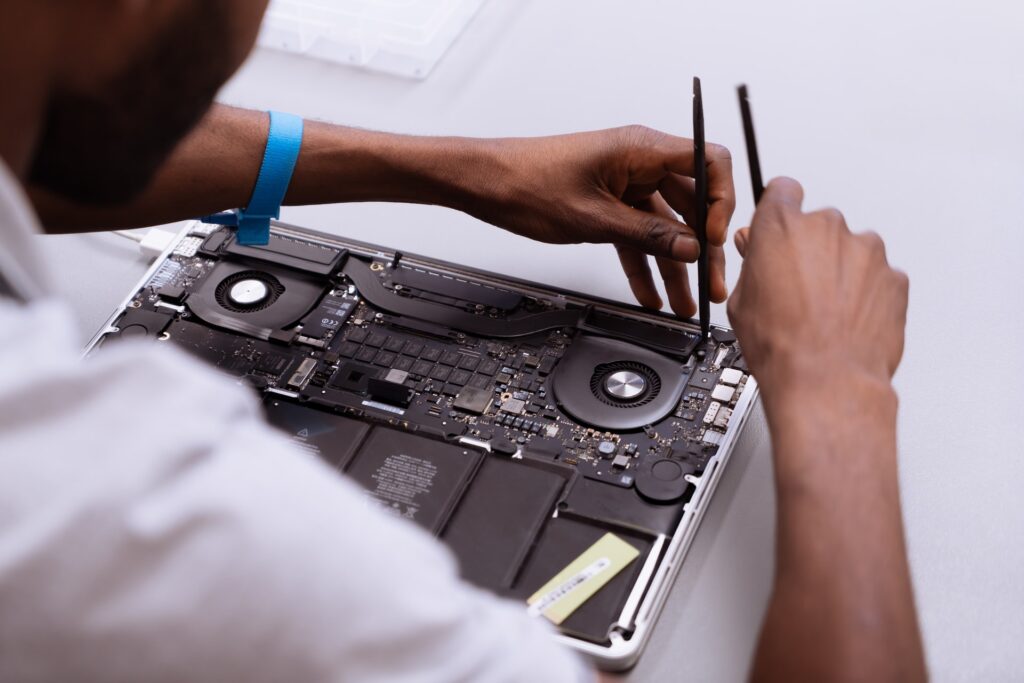
- After opening, wipe down the case gently with your damp cloth. If you do not have fancy equipment, you can blow the dust away using a hairdryer. Ensure you use a cool setting and a low level with your hair dryer.
- After that, take a brush for additional cleaning. Remember to be gentle and not use too much pressure while brushing. Microfiber cloths might also be helpful.
- You can quickly get into all the corners with your brush by taking that black rubber thing off your fan. Then blow the dust away with the hair dryer once you’ve loosened the dust.
- During cleaning of the fan, you should be extra careful. Make the fan impossible to turn by sticking your finger in the middle. Use the bristles of the brush to loosen up the dust particles.
- If you clean that fan after a long time, you will see a lot of dust. Once the dust is out, gently blow it away.
- After that, put the case back on.
Conclusion
Whenever your MacBook Pro starts to get hot, you should act immediately. Otherwise, your device may develop serious problems. The temperature of your MacBook directly affects your processor and hard drive.
These vital components could become unreliable with minor damage over time. Occasionally, the fans on a MacBook can become blocked by dust, making the whole machine perform slowly.
Therefore, you should clean your MacBook frequently for it to work better. You can extend the life of your MacBook Pro by cleaning its fan once or twice a year.
When using compressed air to clean the MacBook Pro fan, you should operate it at a 45-degree angle or less. By doing so, you can perform better cleaning of the fan.