
Do you want to know how to connect Galaxy Buds to a MacBook? The Galaxy Buds are relatively easy to pair with your Galaxy Buds. However, if you are utilizing the earbuds for the first time, you might still struggle to connect them to a Mac. So how to do so?
You first require opening the charging case of the Galaxy Buds to connect with the MacBook. Make sure your Galaxy Buds are disconnected from all the devices. After that, turn on Bluetooth on Galaxy Buds and MacBook. It will begin the pairing of both devices.
Steps to Follow to Connect Galaxy Buds to MacBook
Here are the steps for connecting Galaxy Buds to MacBook.
- First, open the charging case to connect the Galaxy Buds with the Mac.
- Upon opening the case, the headphones automatically go into pairing mode, thus making them accessible through Bluetooth to MacBook and other devices.
- You might have also used the Galaxy Buds with multiple devices. If so, disconnect the Galaxy Buds from other devices before connecting them to the MacBook. The earbuds will not pair if you don’t do this.
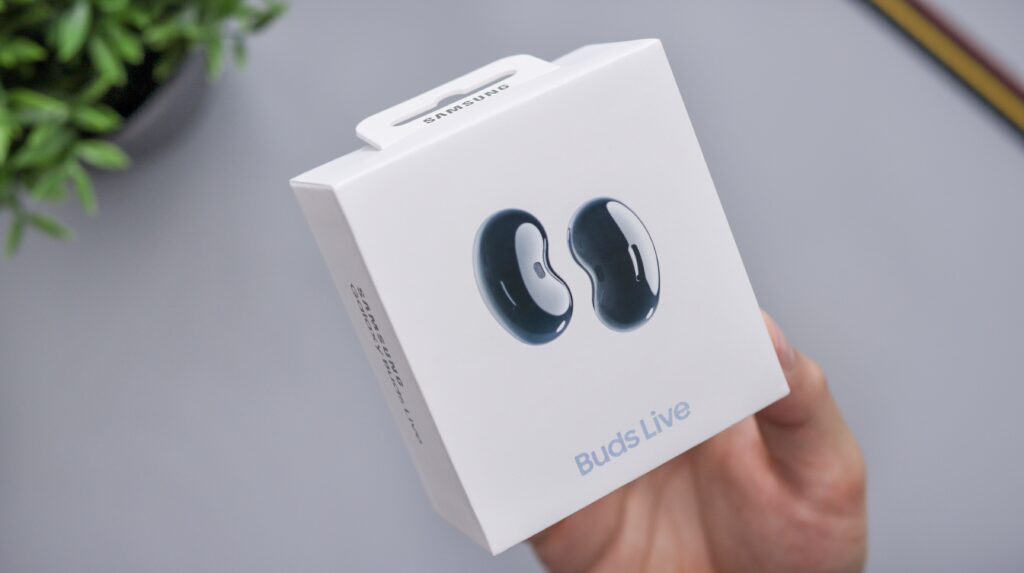
- Then, turn on Bluetooth on your device and open the cover. Your device will detect the earbuds automatically and receive a pop-up message allowing you to connect them instantly.
- You can enter Bluetooth settings to find the earbuds in a list, and they will begin pairing automatically.
It will pair your Galaxy Buds to Mac. After pairing the Galaxy Buds, you won’t have to do it again. Tap both earbuds together at the same time in the future to reconnect, and then ensure that Bluetooth is on.
Upon connecting the earbuds, your Samsung Wear application will launch automatically. Here you can see the battery life of the Galaxy Buds as well as find your earbuds with the “Find My Earbuds” feature. The app can even help you reconnect the earbuds.
Conclusion
Galaxy Buds offer the same authentic wireless stereo experience as Apple’s AirPods. They are in the same quality class as Apple’s devices.
You might struggle to connect Galaxy buds with Apple peripherals if AirPods are not your thing and you’re a huge fan of Galaxy buds rather than AirPods. Fortunately, Galaxy buds only need the Bluetooth function to be set up with the Mac.
With Samsung earbuds, you’ll experience fantastic sound quality, high durability, and more. You can connect your favorite buds to your Mac and experience all the features Samsung promises.